
Scraps logo

Scraps

Quick notes. Rough drafts. Loose thoughts.

A lightweight Windows editor for jotting things down fast — light formatting, tabs, dark mode, and Markdown — without the weight of a full IDE.

Download for Windows

Recommended · small installer.
Fetches .NET only if it's missing.

Download installer · 2.6 MB
Scraps-Setup-1.0.0.exe

Standalone (no install)

Bigger, but self-contained — needs nothing else.
Just download and run.

Download standalone · 65 MB
Scraps-Portable-1.0.0.exe

Windows 10 / 11 · 64-bit · Free & open source (GPL v3) · v1.0.0
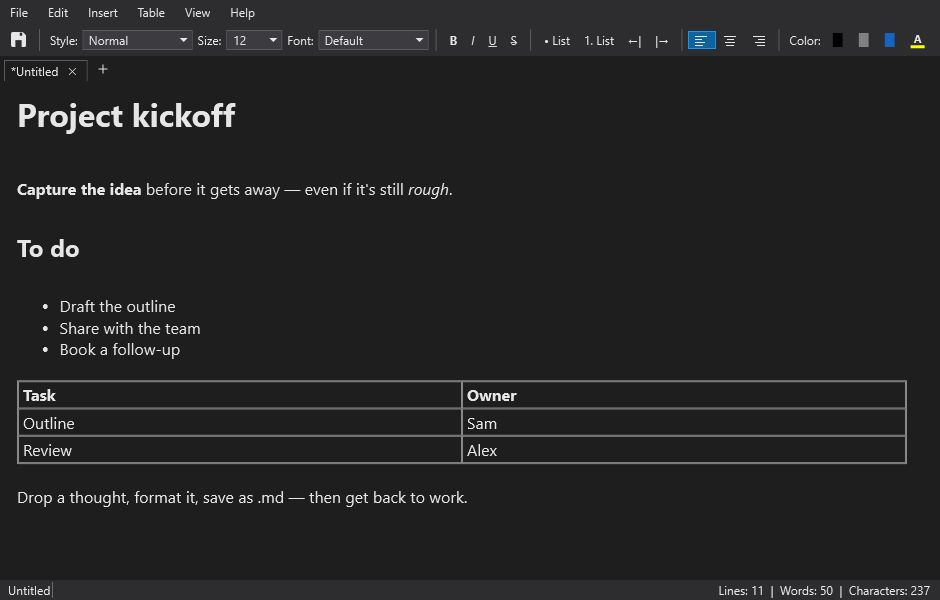
Scraps editor screenshot

Light formatting

Headings, bold/italic/underline, lists, colors, and highlight.

Tabs & sessions

Many docs at once; unsaved work is restored next launch.

Open anything text

Edit .txt, .md, .csv, .html, .json and more — for a quick look or fix.

Tables & images

Insert tables (Tab between cells) and images you can resize.

Markdown

Save as .md with formatting preserved, with a live source view.

Dark mode

A full dark theme, down to the title bar and scrollbars.